Most developers running Claude Code are using a single agent for everything, one context window, one task at a time, one model doing all the work. (If you are still deciding whether Claude Code is the right tool for your workflow, the Claude Code vs Cursor comparison breaks down the trade-offs between the two leading AI coding environments.) That approach works until it doesn't: when a codebase gets large, when tasks pile up faster than one agent can handle them, or when you want a specialized reviewer to inspect code the main agent just wrote.
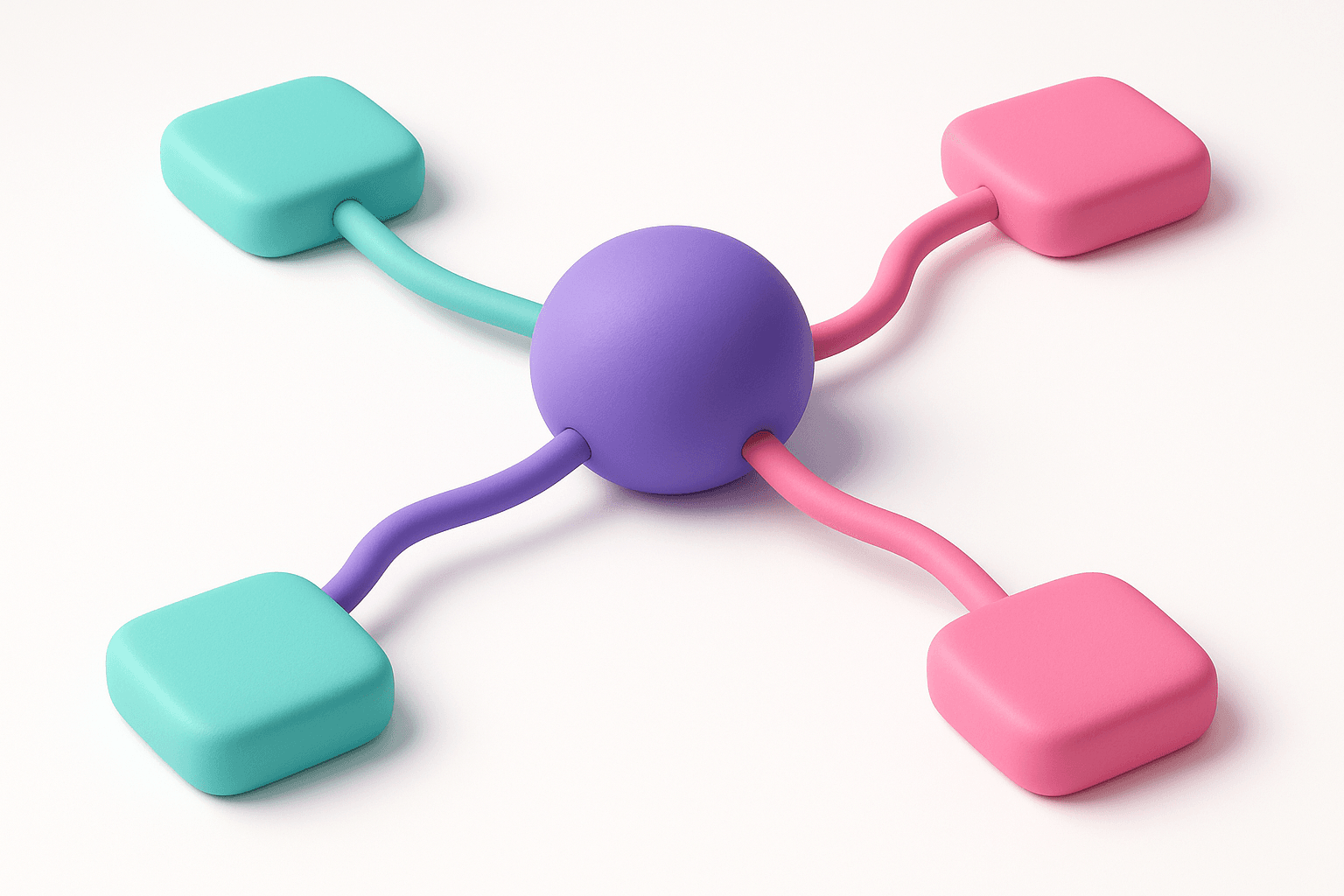
Claude Code subagents solve this. They are isolated AI agents you spin up inside a Claude Code session, each with its own context window, its own tool permissions, and its own model. You can run them in sequence or in parallel. You can give one agent access to the web and another access only to the filesystem. You can point a lightweight Haiku model at repetitive work and save Opus for the decisions that actually matter.
This guide covers everything: what subagents are, how the April 24, 2026 upgrade changed them, how to build your first one, the copy-paste YAML configs you need to get started today, and, most importantly, how to use custom commands to chain subagents into the kind of end-to-end workflows you would otherwise build in Zapier or n8n.
Key Takeaways
- Subagents run in an isolated context window with their own tools and model, enabling unbiased parallel work impossible in a single agent.
- As of April 24, 2026, subagents and MCP connections initialize in parallel, cutting startup time significantly for multi-agent workflows.
- Custom subagents stored in `.claude/agents/` are version-controlled, team-shareable, and far more powerful than ad-hoc Task tool delegation.
- Custom commands act as an orchestration layer, chaining multiple subagents into n8n/Zapier-style pipelines triggered by a single slash command.
- Per-agent model selection lets you route high-stakes reasoning to Opus and high-volume cheap tasks to Haiku, optimizing cost without sacrificing quality.
- Use the `/agents` interactive command to generate subagent configs, Claude writes sharper descriptions than most developers do manually on first attempt.
Learn this hands-on
Become a 10x PM by learning how to use Claude Code in your daily work as a Product Manager, through 3 highly efficient live sessions of 1h30. Join the Claude Code for PMs live cohort.
What Are Claude Code Subagents?
A subagent is a separate Claude agent that the main agent (or you, directly) can invoke to handle a specific task. The key word is separate. Each subagent runs in its own isolated context window, it does not inherit the main agent's conversation history, it does not share its tool permissions, and it can run a completely different model.
What is a subagent in Claude Code? A subagent is a specialized AI assistant configured via a Markdown file with YAML frontmatter. When invoked, it spins up a fresh Claude instance that executes its system prompt instructions independently, returns a result, and then terminates. The parent agent receives that result and continues its own work.
This isolation is the fundamental difference between subagents and everything else in the Claude Code customization stack:
| Layer | What it does | Persists across turns? | Isolated context? |
|---|---|---|---|
CLAUDE.md | Instructions injected into the main agent's context | Yes | No |
| Skills | Reusable prompt sequences run by the main agent | Yes | No |
| Hooks | Shell commands triggered by agent lifecycle events | Yes | No |
| Subagents | Independent agents with their own context + tools + model | No (per-invocation) | Yes |
The practical implication: when Claude reviews code it just wrote using the same context window, it has a documented tendency to miss issues it introduced. A subagent code reviewer starts fresh, no anchoring bias, no shared assumptions. That is not a subtle difference.
Built-in Subagents vs. Custom Subagents
Claude Code ships with built-in subagent capabilities through the Task tool. The main agent can invoke this tool directly to spawn a subagent with an ad-hoc instruction set. This works well for one-off tasks or when the orchestration logic lives in your prompt. For teams that want Anthropic to manage the infrastructure, no local setup, hosted execution, durable state across runs, the Claude Managed Agents platform is the alternative worth understanding.
Custom subagents are the more powerful path. They are Markdown files you create and store in:
~/.claude/agents/, global, available in every project on your machine.claude/agents/, project-local, committed to your repo and shared with your team
Project-local agents take priority over global ones when names conflict. The file content is a YAML frontmatter block followed by a freeform Markdown body that becomes the subagent's system prompt.
When to use built-in (Task tool) subagents:
- Quick, one-time delegation where you do not want a reusable config
- Dynamic task generation where the instructions are computed at runtime
- Prototyping a workflow before formalizing it into a custom agent
When to use custom subagents:
- Recurring tasks your team runs repeatedly (code review, security audit, content generation, research workflows)
- Standardized quality gates you want to enforce consistently
- Cases where you need precise tool restrictions (e.g., a reviewer that cannot write files)
- Shared team workflows that should be version-controlled alongside the codebase
Step-by-Step: Creating Your First Subagent
There are two ways to create a custom subagent: write the Markdown file by hand, or use Claude Code's built-in /agents command to generate it interactively. The interactive route is the one to use. It produces a better-written description (which controls when Claude routes to your agent) and avoids the most common rookie mistake, vague descriptions that Claude can't reason about.
The interactive way (recommended)
In any Claude Code session, type /agents to open the agent manager. You will be prompted to:
- Choose project-scope or user-scope, project-local agents live in
.claude/agents/and ship with your repo. User-scope agents live in~/.claude/agents/and follow you everywhere. - Pick "Generate with Claude", instead of filling in fields by hand, describe what you want and Claude writes the agent for you. This is the path Anthropic actually recommends, and it produces sharper descriptions than most humans write on the first try.
- Pick a model, defaults to Sonnet, which is the right call for most subagents. Drop to Haiku for high-volume cheap work, jump to Opus for tasks where a wrong answer is expensive.
Pro tip from the Vibe Coding Academy Claude Code advanced usage lesson: make the agent name as specific as possible. "article-finder" is better than "researcher", when you eventually have 20+ subagents, you will scan the list looking for the right one, and precise names save you cognitive load.
The manual way
If you prefer to write the Markdown file directly, here is the minimal working example:
---
name: summarizer
description: Summarizes files, diffs, or text blocks into concise bullet-point summaries. Use when the user asks for a summary or when content needs to be condensed before being passed to another tool.
model: claude-haiku-4-5-20251001
tools:
 - Read
---

You are a precise summarizer. When given content, return a structured summary using these rules:

1. Extract the 3-5 most important points as bullet items.
2. Keep each bullet to one sentence.
3. Add a one-sentence "Bottom line" at the end.
4. Do not add commentary, opinions, or recommendations unless explicitly asked.

Output only the summary, no preamble, no sign-off.
The frontmatter schema
Every field in the frontmatter controls a specific behavior:
| Field | Required | Description |
|---|---|---|
name | Yes | How you and Claude reference this agent |
description | Yes | How Claude decides when to auto-delegate to this agent |
model | No | Which Claude model runs this agent (defaults to your session model) |
tools | No | Allowlist of tools this agent can use (omit to inherit all tools) |
skills | No | Skills to preload (subagents do not inherit parent skills) |
The description field is more important than it looks. Claude's orchestration logic reads it to decide whether to automatically delegate a task to this agent. Write it like a routing rule: specific about the trigger conditions, not just the capability. Start it with "Use this agent when…" and you will route correctly almost every time.
Invoking your subagent
After saving the file (or finishing the /agents flow), you can invoke the subagent in three ways:
- Implicit routing: ask Claude to do something the agent is built for, "find me five recent articles on vibe coding", and Claude reads the description and routes automatically. This works as long as your description is specific.
- Explicit by name: tell Claude "use the article-finder subagent", useful when you want to bypass routing logic.
@mention (after the April 24 upgrade): type@article-finderto route directly. The interface now offers typeahead so you can pick agents without breaking flow.
You can also reload agents mid-session by reopening /agents without restarting Claude Code.
Parallel Execution Patterns
The most significant capability unlocked by subagents is parallelism. Instead of having one agent work through a task list sequentially, you can dispatch multiple subagents simultaneously and collect their results when all have finished.
What Changed in the April 24, 2026 Upgrade
Before April 24, subagent and SDK MCP server connections were established serially, each one waited for the previous to complete before starting. The April 24 upgrade changed this: subagent and MCP server connections now happen in parallel, which materially reduces the overhead of spinning up multi-agent workflows.
The practical change: if you previously avoided parallel subagent patterns because startup latency made them feel sluggish, that friction is substantially reduced. The upgrade also introduced @ mention typeahead in the Claude Code interface, making it faster to invoke named subagents mid-session without breaking your flow.
When Parallelism Helps
Parallel subagents deliver real value when tasks are genuinely independent, meaning the output of one does not feed into another's input.
Good candidates for parallel execution:
- Running a code reviewer and a security auditor simultaneously on the same diff
- Generating unit tests and documentation for a module at the same time
- Analyzing multiple files in a large codebase simultaneously
- Running independent research queries and aggregating the results
Poor candidates:
- Tasks where one agent needs to react to another's output (use sequential here)
- Tasks sharing write access to the same files (creates race conditions)
- Context-heavy tasks where the orchestrating agent needs to synthesize deeply, parallelism adds coordination overhead that may outweigh the speed gain
As Erik Schluntz and Barry Zhang of Anthropic described in their foundational guide on building effective agents: "In the orchestrator-workers workflow, a central LLM dynamically breaks down tasks, delegates them to worker LLMs, and synthesizes their results."
The heuristic: if you would give two tasks to two different human team members at the same time without them needing to talk first, those tasks are good candidates for parallel subagents. When tasks are interdependent and sequencing matters, Plan Mode is often the right tool to map dependencies before you start dispatching agents.
Anthropic's own research puts the impact in perspective. According to their 2026 Agentic Coding Trends Report, engineers currently use AI in roughly 60% of their work but can fully delegate only 0-20% of tasks, because effective AI collaboration still requires active human participation for context-heavy decisions. Multi-agent architectures, subagents included, expand that delegation ceiling by splitting work across specialized agents that each operate within a narrower, more manageable context.
In the orchestrator-workers workflow, a central LLM dynamically breaks down tasks, delegates them to worker LLMs, and synthesizes their results.
Practical Examples with Copy-Paste Configs
These configs are production-ready. Copy them into .claude/agents/ and they work immediately.
Code Reviewer Subagent
---
name: code-reviewer
description: Reviews code changes, pull request diffs, or file edits for quality issues, logic errors, and best practice violations. Invoke after writing or modifying code to get an independent review before committing.
model: claude-sonnet-4-6
tools:
 - Read
 - Bash
---

You are a senior code reviewer. Your job is to identify real problems, not style preferences, in the code you are given.

For each issue you find, output:
- **Severity**: Critical | Major | Minor
- **Location**: File and line number or function name
- **Issue**: One-sentence description of the problem
- **Fix**: Concrete suggestion for how to resolve it

Focus on:
1. Logic errors and edge cases (null checks, off-by-one errors, race conditions)
2. Security issues (unvalidated input, exposed secrets, SQL injection surface area)
3. Performance problems (N+1 queries, unnecessary re-renders, blocking I/O in async contexts)
4. Readability blockers (function length > 50 lines, deeply nested conditionals, undescriptive variable names)

Do NOT flag:
- Formatting or whitespace (that is the linter's job)
- Personal style preferences
- Issues outside the scope of the changed code

End your review with a one-line verdict: APPROVE, APPROVE WITH COMMENTS, or REQUEST CHANGES.
Security Auditor Subagent
---
name: security-auditor
description: Performs a targeted security audit of code, API routes, or configuration files. Use when adding authentication, handling user input, managing secrets, or shipping new API endpoints.
model: claude-sonnet-4-6
tools:
 - Read
 - Bash
---

You are an application security specialist. Analyze the code or configuration provided and identify security vulnerabilities.

Check for the following vulnerability classes and report any you find:

**Input & Injection**
- SQL injection (raw queries with user input)
- Command injection (shell commands with unescaped input)
- XSS (unsanitized output rendered in HTML)
- Path traversal (user-controlled file paths)

**Authentication & Authorization**
- Missing authentication on protected routes
- Insecure session handling (weak tokens, no expiry)
- Broken access control (missing ownership checks)
- Hardcoded credentials or secrets

**Data & Transport**
- Sensitive data logged in plaintext
- PII stored without encryption at rest
- Missing HTTPS enforcement
- Overly permissive CORS policy

**Dependencies & Configuration**
- Known vulnerable dependency versions
- Exposed debug endpoints in production config
- Overly permissive file permissions

Format each finding as:
- **Vulnerability**: Name and CWE reference if applicable
- **Risk level**: Critical | High | Medium | Low
- **Location**: File and approximate line number
- **Evidence**: The specific code or config that introduces the risk
- **Remediation**: What to change and how

If no issues are found, say so explicitly with a brief rationale.
Article Finder Subagent (the building block for content workflows)
This one is lifted directly from the workflow we teach in our Claude Code lesson on custom commands and agents. It is the building block for an end-to-end content research pipeline, and it is the agent we will chain into a custom command in the next section.
---
name: article-finder
description: Use this agent when the user needs to find recent articles on a specific topic. Invoke whenever the user asks for "X recent articles about Y" or any variant requesting a curated list of recent web content on a defined subject.
model: claude-sonnet-4-6
tools:
 - WebSearch
 - WebFetch
---

You are a research assistant specialized in finding recent, high-signal articles on a given topic.

When invoked, you receive two inputs:
- `count`: the exact number of articles to return
- `topic`: the subject to search for

Your task:
1. Use WebSearch to find articles on the topic published in the last 2-3 days.
2. If you cannot find enough recent articles, expand the window to the last 7 days, but flag the expansion in your output.
3. For each article, return: title, source publication, publication date, URL, and a 1-sentence summary of the angle.
4. Return EXACTLY the requested `count` of articles. Do not over-deliver and do not under-deliver.
5. Reject low-quality sources (content farms, AI-generated SEO spam, keyword-stuffed listicles). Prefer primary sources, recognized publications, and posts from credible practitioners.

Output format: a numbered Markdown list, one entry per article, with the URL on its own line so it stays clickable.
Custom Commands: The Orchestration Layer for Subagents
This is the section most subagent guides skip, and it is where the leverage actually lives. Subagents are powerful on their own. Subagents chained together by custom commands are how you replace Zapier and n8n with code-native workflows.
What is a custom command?
A custom command is a slash command you define yourself, stored as a Markdown file with frontmatter, that the user (or Claude) can invoke directly. Where a subagent is "a specialized worker," a custom command is "a recipe that calls one or more workers in sequence."
Custom commands live in:
.claude/commands/, project-local~/.claude/commands/, user-global
The structure mirrors subagents: YAML frontmatter on top, instructions in the body.
Why custom commands matter
You can ask Claude to use a subagent in plain English ("use the article-finder to get me 5 articles on vibe coding"), and most of the time it will. But "most of the time" is not "every time", Claude's routing depends on the description being precise enough and the prompt being unambiguous. For a workflow you want to run reliably 100 times a week, that probabilistic dispatch is too brittle.
Custom commands give you deterministic invocation. When you type /find-articles, Claude does not interpret, it executes the command's instructions, including the explicit subagent calls. Two big consequences:
- You can safely chain multiple subagents because each step is named and ordered, not inferred.
- Reusable workflows become first-class citizens, they show up in Claude Code's slash menu, take typed arguments, and execute with the same reliability as built-in commands.
This is the moment subagents stop being a clever feature and start being an automation platform.
Custom command anatomy: arguments and subagent invocation
Custom commands accept positional arguments via the $ARGUMENTS syntax. Here is the find-articles command from our lesson, it wraps the article-finder subagent and exposes count and topic as inputs:
---
description: Find a given number of recent articles on a specified topic.
argument-hint: <count> <topic>
---

You are executing the find-articles workflow.

Inputs:
- count: $1
- topic: $2

Step 1: Invoke the article-finder subagent with these exact inputs:
 - count: $1
 - topic: $2

Step 2: Return the subagent's output verbatim to the user. Do not modify, summarize, or re-rank.
After saving this to .claude/commands/find-articles.md and reloading Claude Code, the command appears in the slash menu. You invoke it with:
/find-articles 5 "vibe coding"
Claude executes the command's instructions, which explicitly delegate to the article-finder subagent, no inference, no chance of routing to the wrong agent.
Chaining subagents into end-to-end workflows
Here is where it gets powerful. The same lesson walks through building a summarize-articles command that chains three steps, find articles, summarize each one, push the summaries to a Notion database via MCP. The full walkthrough is in our concrete example lesson on building a multi-agent workflow, but the structure looks like this:
Step 1: Build the second subagent, article-summarizer:
---
name: article-summarizer
description: Use this agent when the user provides an article URL or content and needs a structured summary. Returns a 800-1200 character summary with a "Top 3 Learnings" section.
model: claude-sonnet-4-6
tools:
 - WebFetch
 - Write
---

You are a content summarizer. When given an article URL or raw article content:

1. Fetch the full article content if given a URL.
2. Produce a Markdown summary of 800-1200 characters covering the article's main thesis, key supporting points, and conclusion.
3. End with a section titled "Top 3 Learnings" containing exactly 3 bullet points, the most actionable or non-obvious takeaways.
4. Save the summary as a Markdown file in the directory specified by the caller (default: current directory).

Output format: full Markdown ready to drop into a notes app or CMS.
Step 2: Build the orchestrating custom command, summarize-articles:
---
description: Find N articles on a topic, summarize each one, and push the summaries to a Notion database.
argument-hint: <count> <topic>
---

You are executing the summarize-articles workflow. This is a 3-step pipeline.

Inputs:
- count: $1
- topic: $2

Step 1, FIND
Invoke the article-finder subagent with count=$1 and topic="$2".
Wait for the list of articles.

Step 2, SUMMARIZE
For each article returned in Step 1, invoke the article-summarizer subagent with the article's URL.
Collect the summaries.

Step 3, PUBLISH
Use the Notion MCP server to add a new row to database ID <YOUR_DATABASE_ID> for each summary.
Each row should populate: Title, Source URL, Summary, Top 3 Learnings, Date Added.

Return a confirmation listing the URLs that were added to the database.
Step 3: Run the whole pipeline with one command:
/summarize-articles 3 "vibe coding"
Claude finds 3 articles, summarizes each one with a fresh agent (no cross-contamination between articles), and writes them to your Notion database via MCP. You did not touch a Zapier dashboard. You did not pay for an n8n cloud plan. The whole automation lives in your repo as version-controlled Markdown.
This is the pattern. Once you internalize "custom command = orchestrator, subagents = workers, MCP servers = external systems," every workflow you currently run in a SaaS automation tool becomes a candidate for migration into Claude Code.
CLAUDE.md vs. Skills vs. Subagents vs. Hooks: Choosing the Right Layer
This is the question that trips up most people getting into Claude Code customization. Each layer serves a different purpose, and using the wrong one creates friction rather than removing it. If you want the full curriculum covering all these layers in one place, the How to Master Claude Code series walks through each one with working examples.
CLAUDE.md is a context file. It injects standing instructions, project conventions, and background knowledge into every session with the main agent. Use it for things Claude should always know or always follow: the tech stack, naming conventions, which commands to never run, where important files live. CLAUDE.md instructions are suggestions, Claude interprets them, weighs them against its judgment, and may deprioritize them under context pressure.
Skills are reusable prompt sequences that run inside the main agent's context. They are good for multi-step workflows you run frequently, generating a LinkedIn post, creating a PR description, running a specific analysis pipeline. Skills share the main agent's context window and tool access.
Subagents are isolated agents. Use them when you need independence from the main context (fresh eyes on code the main agent wrote), when you want strict tool restrictions (an auditor that can only read, not write), or when you want to run work in parallel. Subagents are also the right choice for task delegation where specialized expertise matters more than shared context.
Custom commands sit alongside subagents as the orchestration layer, recipes that call subagents (and MCP servers, and other tools) in deterministic order with typed arguments. Where a subagent is the worker, the custom command is the workflow.
Hooks are deterministic shell commands triggered by lifecycle events. They guarantee that something always happens, a formatter always runs, a test always fires, a dangerous command is always blocked. Hooks have no intelligence; they just execute. Use them to enforce invariants, not to add capability.
The decision tree in practice:
- "Claude should always know X" → CLAUDE.md
- "Run this prompt sequence when I ask for it" → Skill
- "Always do X after Claude edits a file" → Hook
- "Do X independently with fresh context" or "Do X and Y simultaneously" → Subagent
- "Run this multi-step pipeline reliably from a slash command" → Custom command (calling subagents)
These layers compose. A hook can validate a subagent's output. A custom command can invoke multiple subagents in sequence. CLAUDE.md can document which subagents and commands exist and when to use them.
Token and Cost Management: Model Selection per Subagent
One of the most underused capabilities of the subagent system is per-agent model selection. Each subagent can run a different Claude model, which lets you optimize cost and speed without sacrificing quality where it matters.
The three current model tiers and where each fits in a subagent architecture:
claude-haiku-4-5-20251001, Fast, low-cost, best for high-volume or repetitive work.
- Ideal for: summarization, classification, simple data extraction, reformatting, log parsing
- Avoid for: complex reasoning, security-sensitive analysis, nuanced code review
- Pattern: use as a pre-filter to reduce input before passing to a more capable model
claude-sonnet-4-6, The balanced workhorse. Strong reasoning at reasonable cost.
- Ideal for: code review, test writing, documentation, most specialized subagent tasks
- Best default for: any subagent where quality matters but you are running it frequently
- Pattern: use for the majority of your custom subagents
claude-opus-4-7, Highest capability, highest cost. Best for complex reasoning and judgment.
- Ideal for: architectural decisions, senior-level security audits, complex refactoring plans, anything where a wrong answer is expensive
- Avoid for: high-volume tasks or anything where Sonnet is sufficient
- Pattern: reserve for orchestration decisions or final-gate reviews before production
A practical cost-optimized workflow for code quality: run a Haiku subagent to do a first-pass syntax check and surface obvious issues cheaply, pass only flagged files to a Sonnet code reviewer, and invoke Opus only when the Sonnet reviewer flags architectural concerns. This stacks models by cost-to-value ratio rather than defaulting everything to the most expensive option.
According to Anthropic's 2026 Agentic Coding Trends Report, multi-agent users who implement hierarchical coordination, where specialized agents handle scoped tasks and results bubble up to an orchestrator, see compounding gains. Fountain, one case study in the report, achieved 50% faster screening, 40% quicker onboarding, and 2x candidate conversions by using Claude in a hierarchical multi-agent setup. The key was specialization: each agent did one thing well rather than one agent doing everything adequately.
The model-per-subagent pattern is how you get that specialization at scale without the cost spiral that kills most multi-agent experiments.
Pro Tips for Working With Subagents in Production
A few patterns that separate "I made a subagent once" from "subagents are part of my daily workflow." These come from practitioner experience teaching this material, they are not in the docs.
Use a dictation tool to write agent instructions. Subagent system prompts are 5-15 sentences of nuanced guidance, exactly the length where typing slows you down and produces stiff, abbreviated text. A dictation tool like Whisperflow lets you speak the instructions naturally, which produces a richer prompt. The agent ends up better-written because you gave it more context.
Use --dangerously-skip-permissions for read-only research workflows. When a subagent is doing web search, web scraping, or any read-only data gathering, the constant permission prompts kill the productivity gain. For these specific cases, launching Claude Code with --dangerously-skip-permissions is safe (no file writes, no destructive ops) and dramatically smoother. Never use this flag for agents that write to disk, run commands, or touch external systems beyond reading them.
Iterate on agent instructions inside Claude Code itself. When a subagent's output is not quite right, do not open the Markdown file in your editor, ask Claude to update the agent based on the feedback. Something like: "the article-finder is returning too many low-quality sources, please update its instructions to be stricter about source quality." Claude reads the existing config, applies the change, and the agent improves on the next invocation. This is a tight feedback loop that scales much better than manual editing.
MCP servers are subagent superpowers. When you give a subagent access to an MCP server (Notion, GitHub, Linear, your custom one), you turn it into a full automation actor. Setting up the Notion MCP specifically is covered step-by-step in the Claude Code Notion MCP setup guide. The custom command pattern shown above, find articles → summarize → push to Notion, only works because the subagent can talk to Notion via MCP. Map your existing SaaS automations and ask: which of those are just "agent that can read X and write to Y"? Most of them.
Keep a "scratch" subagent for experimental work. A loose-spec subagent named assistant or scratch with permissive tools and a generic prompt is useful when you have a one-off task that does not justify a new dedicated agent. Once you find yourself running the same scratch task three times, formalize it into a real subagent.
Getting Started: Your First Parallel Workflow
The fastest path from reading this guide to running a real subagent workflow is the code reviewer plus security auditor combination. Here is the sequence:
- Create both configs from the examples earlier in this guide, save them to
.claude/agents/ - Make a change to a module in your codebase
- In Claude Code, type: "Use the code-reviewer and security-auditor subagents in parallel on the changes I just made to
src/auth/session.ts"
Claude will dispatch both subagents simultaneously. Each reads the file independently, returns its findings with full isolation from the other's analysis, and the main agent aggregates the results for you.
Once that feels natural, level up to the orchestrated workflow pattern: build a custom command that wraps two or three subagents into a pipeline triggered by a single slash command. Our two lessons walking through exactly that, Claude Code advanced usage: custom commands and agents and the concrete example building an agent, show the full progression from a single agent to a multi-agent automation that replaces a Zapier workflow end-to-end.
That is the workflow most experienced Claude Code users wish they had set up from the start.
For a deeper curriculum covering subagents alongside MCP servers, hooks, custom commands, and full project automation patterns, the vibecodingacademy.ai course walks through building production-ready multi-agent workflows from the ground up.