Learn this hands-on
Become a 10x PM by learning how to use Claude Code in your daily work as a Product Manager, through 3 highly efficient live sessions of 1h30. Join the Claude Code for PMs live cohort.
TL;DR
- The old definition of "AI tools for product managers" (Notion AI, prompt libraries, ChatGPT for PRDs) is already obsolete.
- The teams moving fastest in 2026 are running a 5-agent stack that closes the hand-offs to growth, data, and engineering entirely.
- Each agent maps to a specific PM bottleneck: discovery signals, prototyping, safety validation, feature delivery, and release packaging.
- The wrapper concept is a Feedback OS: a set of recurring Monday-morning agents that pipe product and competitive intel directly into PMs without an analytics team.
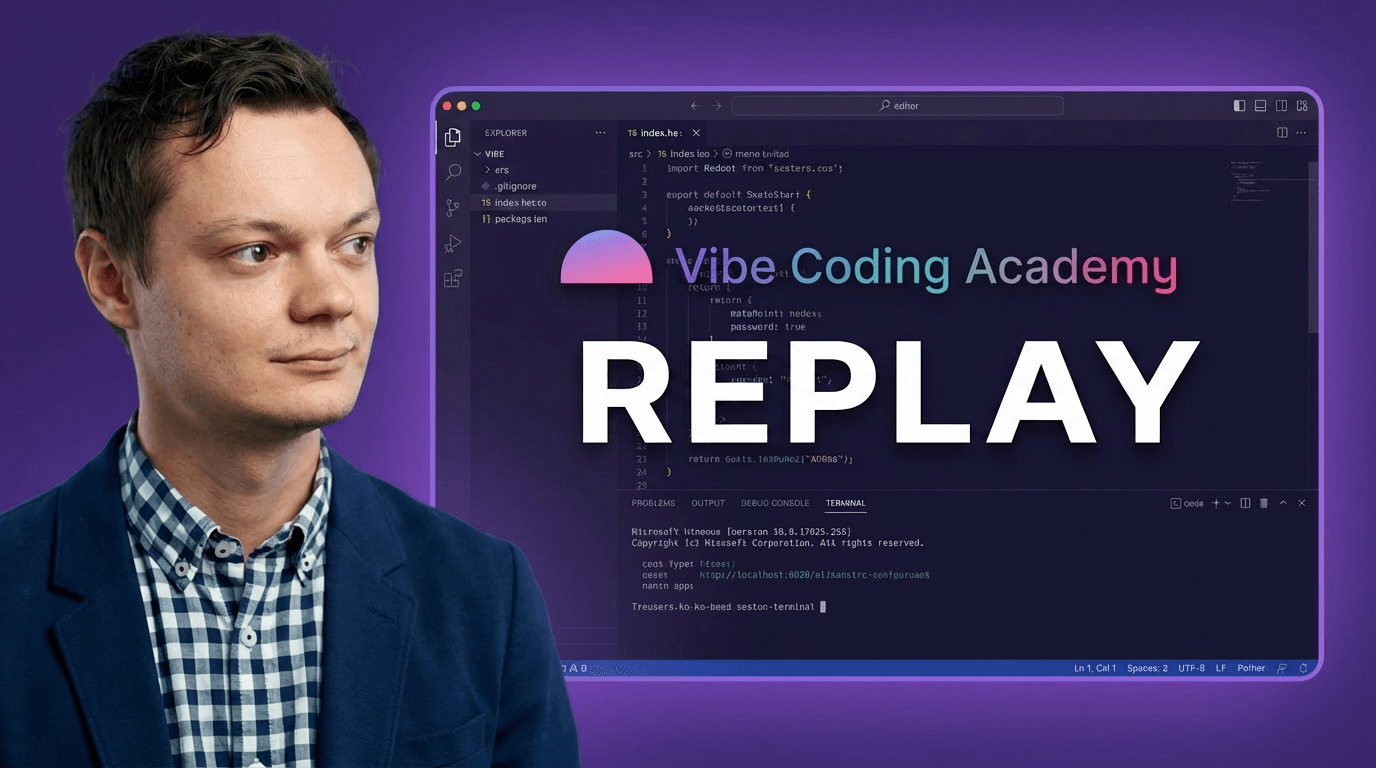
- You can watch the full live demo and get the setup playbook at the webinar replay (free, gated with email).
What "AI Tools for Product Managers" Actually Means Now
Ask that question in 2024 and you get a listicle: Notion AI, ChatGPT for PRDs, Perplexity for research, maybe Otter for meeting notes. Useful tools. Real time savings. But nothing that fundamentally changes the hand-off structure of a product team.
Ask it in 2026 and the answer is completely different.
The PMs pulling ahead right now are not using AI tools for product managers the way that phrase has been understood for the past two years. They are not typing prompts into a chat box and hoping for a useful output. They are deploying agentic systems that close the loops that used to require growth engineers, data analysts, and full engineering sprints. If you are new to this shift, what vibe coding actually means is a useful foundation before diving into agent stacks.
The shift is structural. Instead of asking AI to help write a document, you wire an agent into your actual workflow so the document (or the prototype, or the feature, or the release note) gets produced automatically as a byproduct of your normal work.
The old AI-for-PMs model: PM types a prompt, gets a draft, edits it, moves on.
The new model: Agent mines GitHub Issues and Hacker News every Sunday night, Notion has a prioritized digest waiting when the PM opens their laptop Monday morning. No prompt required. No analyst required.
According to a 2024 McKinsey report, 78% of companies globally are using AI in at least one business function, yet most product teams are still using AI as a fancier search engine rather than as an operational layer. The gap between teams that understand this distinction and teams that do not is widening quickly.
This article walks through the 5-agent stack I demonstrated live on May 21, 2026, using the Excalidraw open-source codebase as the working environment. Every example below is pulled directly from that live session.
If you want to jump straight to the demo, the webinar replay is here.
The Old PM Workflow vs. the AI-Native PM Workflow
| Bottleneck | Old workflow | AI-native workflow |
|---|---|---|
| Competitive intel | Analyst or manual research | Signal-capture agent runs Sunday night |
| Prototyping | Figma + design review + dev sprint | Claude Code builds on real codebase, same afternoon |
| Safety check | PM judgment + engineering review | Lead-dev-validator agent classifies front-end vs. back-end automatically |
| Feature delivery | Engineering sprint + PR review | PM-generated PR with Claude Code, engineer reviews delta only |
| Release packaging | PM writes changelog + comms manually | Release-package agent turns merged PR into launch assets |
The 5-Agent Stack We Showed Live
During the webinar, I set up Claude Code inside the Excalidraw open-source repository. The goal was to walk through the full PM feature lifecycle, from signal to shipped feature, using agents at every step. Here is the stack, in order.
1. Signal-Capture Agent: Your Weekly Competitive Digest
The bottleneck it solves: PMs rarely have a systematic way to track what competitors shipped, what users are complaining about on GitHub, and what the HN community is debating. This usually falls to "whenever someone notices something," which means it rarely happens consistently.
What the agent does: A cron job runs every Sunday at midnight. It pulls GitHub Issues from the last 30 days (filtered by reaction count), scrapes competitor changelogs (Figma, Miro, Lucid in the Excalidraw case), and surfaces the top signals ranked by potential business impact. Monday morning, a Notion record appears with the digest.
From the live demo: When I triggered the agent manually during the webinar, it returned a ranked list of GitHub issues. The top cluster: a request for native table elements in the canvas, something Figma's whiteboard competitor FigJam already supports. The agent flagged it because it had high reaction volume relative to its age. That became the feature we prototyped live.
The competitive digest also surfaced something interesting: Lucid and Miro both shipped MCP server improvements in the same week, signaling a category-wide move toward AI coding tool integration. Building a custom MCP is how teams encode their own expertise into this layer. That kind of pattern recognition used to require a dedicated analyst.
What you need:
- Claude Code with GitHub MCP enabled
- A markdown subagent file defining the scraping rules and ranking logic
- Notion MCP for output (or a Slack webhook if your team prefers)
- A cron job (simple shell script, or a service like Railway) to schedule the Sunday run
Prompt pattern used in the demo:
Use the GitHub Issues Analyzer subagent with input: 30 days.
Surface the top priority clusters for PM prioritization.
2. Vibe-Coded Prototype Workflow: Real Branch, No Figma
The bottleneck it solves: Traditional prototyping requires design (Figma), a design review, and then a dev sprint before anyone can actually click through the feature. The total cycle is weeks, often longer. The result is that PMs validate assumptions on mocks rather than on working code.
What the agent does: Claude Code has access to the actual production codebase. The PM describes the feature in plain language (optionally with a screenshot of a competitor's version), and Claude Code builds a working prototype on a local branch. No Figma. No design sprint. No engineering ticket.
From the live demo: After the signal-capture agent surfaced the table-element request, I asked Claude Code to build a prototype directly inside the Excalidraw repo. Within minutes, I had a working table that you could insert from the hamburger menu, change colors on, and add a header style to. It was not perfect (the cells were not constrained to the table boundary), but it was clickable and demoable.
I then asked Claude Code to add row and column controls on hover, matching the FigJam interaction pattern, and pasted a screenshot of FigJam's UI for context. Second iteration was ready before the webinar hit the 45-minute mark.
"The goal is a mocked feature: something you can show to a user and test with, even if the backend logic is stubbed out."
What you need:
- Claude Code with access to your front-end repo (read access is enough to start)
- The company design system loaded as project context (CLAUDE.md or a context file)
- A clear branching convention agreed with engineering (non-negotiable before you give PMs repo access)
- Claude Code Desktop for non-terminal-native PMs (more accessible than the IDE terminal)
For a deeper look at this workflow in the context of solo prototyping, the product managers vibe coding article covers the Lovable and Cursor angle well.
3. Lead-Dev-Validator Agent: The Safety Boundary
The bottleneck it solves: If PMs can generate pull requests, someone needs to ensure they are not touching backend logic that breaks production. The lead-dev-validator is that guardrail, automated.
What the agent does: Whenever Claude Code understands you want to turn a prototype into a real feature, the lead-dev-validator runs automatically. It reads the diff and classifies the change: pure front-end (PM can ship it), or requires backend work (hand off to engineering with specs already written).
From the live demo: I uploaded an MP4 recording of the table prototype and asked Claude Code: "Can I implement this as a PM?" The lead-dev-validator analyzed the feature description, cross-referenced it against the Excalidraw codebase architecture, and returned a clear verdict.
The answer was nuanced: good news, it is 100% front-end. Bad news, implementing native table elements (not just rectangles grouped together) requires a substantial amount of new front-end code. For a startup with loose code conventions, the PM could ship it. For a larger org with strict architecture reviews, that would be a trigger to hand it to engineering with the demo video and the prototype branch as the spec.
Either way, the PM has already closed two loops that used to require two separate engineering conversations.
What you need:
- A markdown skill file defining the classification rules (front-end vs. back-end triggers)
- Claude Code with access to the codebase (so it can actually read the architecture, not just guess)
- A clear internal policy: what counts as "PM-shippable" vs. "needs engineering" in your org
The rule I use at Excalidraw (in the demo): If the feature only touches the front-end layer and requires no new API endpoints or database changes, the PM owns it. If it needs backend logic, the PM writes the spec and demo video, then hands off.
4. PR-to-Merge Workflow: The PM Pushes the Feature
The bottleneck it solves: Even after a prototype is validated, there is still an engineering sprint to actually ship. The PM writes a ticket. Engineering picks it up. Reviews happen. Back-and-forth on implementation details. Weeks pass.
What the agent does: For front-end-only features that pass the lead-dev-validator check, Claude Code generates the pull request. The PM reviews it in the browser, spots any visual gaps, and prompts Claude Code to fix them. The iteration cycle is measured in minutes, not sprint cycles.
From the live demo: After getting the "100% front-end" verdict on the table feature, the next step would be generating a PR directly from the prototype branch. I showed this flow conceptually during the webinar: the PM records a short Tella video (a Loom competitor) of the prototype in action, uploads it as context to Claude Code, and asks it to finalize the implementation for a PR.
The loop is: PM tests the feature locally, spots a gap (say, the insert-table button should be in the top toolbar, not buried in the hamburger menu), prompts Claude Code to move it, and re-tests. That iteration happened live during the webinar in under two minutes.
"You are not writing code. You are reviewing code. That is a fundamentally different cognitive load, and it is one that a non-technical PM can carry."
What you need:
- A branching and PR workflow agreed with engineering (engineering reviews before merge, PM authors)
- A set of skills/subagents encoding your team's code style and review checklist
- Claude Code's
/compactcommand used at the end of each session to avoid context bloat
For a tutorial on setting up Claude Code for this kind of workflow, the claude code tutorial goes through the setup step by step.
5. Release-Package Agent: From Merged PR to Launch Assets
The bottleneck it solves: After a feature merges, someone has to write the changelog entry, draft the launch tweet, and script the 60-second demo video. That someone is usually the PM, squeezing it in between other priorities. The result is inconsistent release communication and a constant backlog of un-announced shipped features.
What the agent does: Once a PR merges, the release-package agent reads the diff, the PR description, and any context from the super-PO workspace, and produces: a user-facing changelog entry, a draft launch tweet, and a 60-second demo script. The PM reviews and publishes. Total PM time: under 10 minutes per release.
What you need:
- A release-package subagent with your brand voice baked into its instructions
- GitHub webhook or manual trigger post-merge
- Notion or your internal wiki as the output destination
The Feedback OS: Wiring the Agents Into a Weekly Rhythm
Individual agents are useful. But the real leverage comes from connecting them into a rhythm.
I call this the Feedback OS. It is not a product. It is not a SaaS tool you buy. It is a set of agent workflows that run on a cadence, without you having to remember to trigger them.
The Monday morning rhythm looks like this:
- Sunday midnight: Signal-capture agent runs. GitHub Issues, competitor changelogs, Hacker News top threads relevant to your product category all get scraped and ranked.
- Monday 9am: Notion has a record waiting. Your PMs start the week with context, not with a blank slate.
- Throughout the week: Prototype workflow and lead-dev-validator are available on-demand as PMs explore features surfaced by the Monday digest.
- End of sprint: Release-package agent converts merged PRs into launch assets.
The super-PO workspace (what I called the "second repository" in the webinar) is the backbone of this. It is a separate repo from the product codebase. It contains no application code. It contains only agent definitions (markdown subagent files), shared context (your product strategy doc, your design system reference, your competitive landscape brief), and the interface to manage them.
"The super-PO is not a person. It is a command center. Once you have it set up, your entire product team has a shared agent infrastructure instead of a shared drive full of templates."
You can build a lightweight front end on top of this second repo to make it accessible to non-terminal PMs. During the webinar I showed exactly this: a web UI listing all available agents, their descriptions, and ready-to-use prompt snippets. When a new agent gets added, the whole team sees it immediately.
Boris Cherny, the creator of Claude Code at Anthropic, put it plainly during a February 2026 appearance on Lenny Rachitsky’s podcast: “I think by the end of the year, everyone is going to be a product manager, and everyone codes. The title software engineer is going to start to go away.” That shift is already reshaping how companies hire for product roles, and it is happening inside the teams building these stacks today.
I think by the end of the year, everyone is going to be a product manager, and everyone codes. The title software engineer is going to start to go away.
Who This Stack Is For (And Who It Is Not)
This agent stack is built for Heads of Product and CPOs leading teams of 3 to 30 PMs at companies with an existing engineering culture.
It works best when:
- You have at least one engineering stakeholder willing to define the PM/eng boundary in the codebase (what counts as PM-shippable).
- Your PMs are already comfortable with tools like Notion, Slack, and GitHub at the read level.
- Your org is willing to treat this as a 6-8 week investment in setup and training before expecting operational results.
It is probably not the right fit if:
- You are a solo founder or a 1-2 person team. At that scale, just use Claude Code directly without the agent infrastructure overhead.
- Your engineering org has no appetite for PMs touching the codebase in any form. The lead-dev-validator is a guardrail, but it requires buy-in from your tech lead to be effective.
- You are looking for a plug-and-play SaaS tool. This is a custom setup that you own and iterate on. There is no vendor to call.
A useful data point: GitHub's 2024 Octoverse report found that AI-assisted development workflows reduce code review cycle times by up to 55% on teams that implement them systematically. The teams seeing those numbers are not just using Copilot for autocomplete. They are restructuring how code gets authored, reviewed, and shipped.
The agent stack described here is the product-team equivalent of that restructuring.
How to Get Your Team Running This in 2 Weeks (3 x 90-Min Live Sessions)
The setup is learnable. I know because I teach it.
The Claude Code for PMs cohort runs as 3 x 90-min live sessions over 2 weeks. Each session is structured around a specific layer of the stack:
Session 1: Interacting with the codebase like an engineer. How to give PMs read and write access safely. How to use Claude Code Desktop (the non-terminal path). How to interrogate a codebase, generate specs, and ship small PRs. We cover the slash commands, context management, and the /compact practice that keeps sessions clean.
Session 2: Building the Feedback OS. How to set up the signal-capture agents (GitHub Issues, competitor changelogs, Amplitude/Mixpanel usage data). How to mine customer call transcripts from Granola or Notion. How to wire cron jobs so agents run autonomously. And critically, how to make the OS self-improving: feeding developer PR feedback back into the agent instructions so the output gets better over time.
Session 3: The full feature lifecycle, end to end. Prototype workflow, lead-dev-validator, PR-to-merge, release packaging. We run the full loop on a real codebase. PMs leave with a working local environment and at least one agent they built themselves.
Every participant also gets personalized written feedback on their setup, access to a community of PMs going through the same transition, and the Notion playbook I reference throughout the webinar.
The next cohort starts June 3. Spots are capped because the feedback loop only works with a small group.
Secure your spot at /claude-code-for-pms.
Start With the Demo
If you want to see the full 5-agent stack in action before committing to anything, the webinar replay is the best place to start. It is gated (you will need to enter your email), and in exchange you get access to the replay plus the Notion playbook I built alongside it.
The agents are not magic. They are markdown files and well-structured prompts running on Claude Code. If you want to see how prototyping with AI tools works end to end, the build a professional frontend prototype series covers the full workflow from PRD to clickable demo. But when they are wired together into a weekly rhythm, they change what a PM can accomplish without anyone else's calendar.
That is what "AI tools for product managers" actually means in 2026.